Quantcast `
Open Source Application, Server, and Network Management

Zenoss Newsletter
SourceForge.net Logo
Monitored by Zenoss
 

Zenoss Core Product Overview

Zenoss Core is an open source IT monitoring product that delivers the functionality to effectively manage the configuration, health, performance of networks, servers and applications through a single, integrated software package.


Highlights of Zenoss Core include:


  • Single Integrated Product - to monitor your entire IT infrastructure
  • First Commercial Open Source CMDB - a single repository for your IT assets
  • Easy To Use Browser-Based GUI - no linux skills needed, access from anywhere
  • Enterprise-Ready Architecture - tiered architecture that scales to thousands of nodes
  • ZenPacks Framework - packaging system for Zenoss plugins, skins, etc...
  • Open Source - free, GPLv2, source code included, more...
  • New in 2.1 - Google Maps Mashup, Network Visualization, Java Apps Management, more...

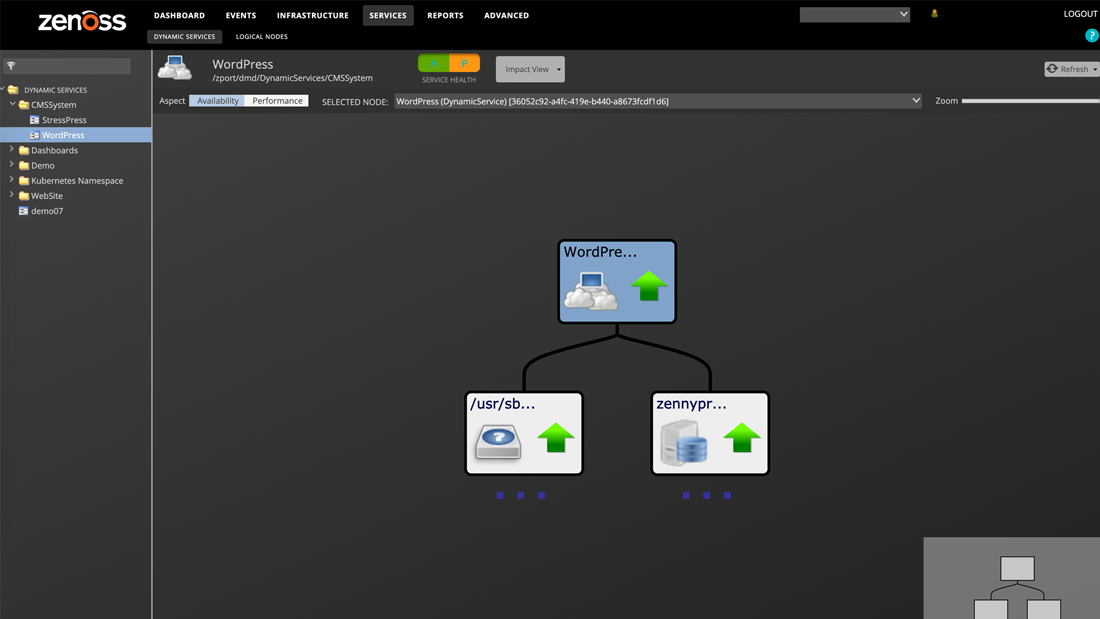
For a complete walk through of the features of Zenoss Core, click the image below.


Zenoss Product Overview Diagram


Configuration Management Database (CMDB)

At the heart of Zenoss Core is Zenoss Configuration Management Database (CMDB). The CMDB houses a unified model of the IT environment and is basis of Zenoss' "model-driven" IT monitoring and approach.

Specific features of the Zenoss CMDB include:

  • First commercial open source CMDB in the market

  • Modeling of entire environment including networks, servers, software, and applications

  • Mapping of IT elements and cross-platform information into a normalized data schema

  • Logical and physical grouping and mapping to business systems, locations and responsible parties

  • Population through auto-discovery, web services API, XML import/export, and manual user input

  • Configuration policies that specify required configuration items


Inventory and Change Tracking

Zenoss provides inventory management and change tracking services that allow IT operators to maintain a current understanding of their IT environment. Specific features in this area include:

Auto-discovery

  • Network devices & servers

  • Icon based representation of discovered devices and organizers (Device Class, Groups, Systems, and Locations)

  • Device configuration details including interfaces, memory, disk, OS, services, processes, software

  • IP address utilization

Automatic Change History & Detection

  • Automatic logging of change history during auto-discovery and manual population

  • Automatic event generation and alerting based on change type and affected resource

Scheduling

  • Scheduled auto-discovery

  • Manual / Ad-hoc configuration discovery

Manual Field Population

  • Manual addition of new devices

  • Allow for the creation of custom fields

  • Search for resources using custom fields

External API

  • Ability to import IT Component information from outside resources

  • Web services based integration with other inventory repositories

Grouping, Organization, Association, Classification

  • Organize devices by logical system

  • Associate devices with locations

  • Associate devices with operators

  • Hierarchical configuration of device properties with inheritance

  • Ability to put devices into various "production levels" (e.g. maintenance, decommission)

Reporting

  • Global Inventory

  • Change History

  • Device Detail


Network Monitoring

Zenoss Core enables users to implement Network Monitoring capabilities that include automatic discovery, mapping, Layer 3 topology visualization, Google Maps Mash up, and change tracking.

Auto-discovery

  • All network devices & servers including configuration details

Mapping & Topology

  • Flash based representation of your network's layer 3 topology

  • Icon based device representation for Linux and Windows devices

  • Device search and find capability

Google Maps Mash Up

  • Google Maps interface with your company's Wan connections

  • Color coded status indication for nods and connections between different locations

  • Customized severity settings for color coded status indicators

Automatic Change History & Detection

  • Automatic change detection


Availability Monitoring

Zenoss Core provides a complete suite of active availability monitors that test that resources, up and down the stack, are responding to client requests. These tests are all performed "agentlessly" - i.e. without the need for new software to be loaded on the test target. Through Zenoss Availability Monitoring you gain a real-time of view of the availability of your IT environment. By combining end user perspective tests (e.g. URL monitoring) with element level monitoring (e.g. process and interface monitoring), you are able to quickly identify and address problems. Specific tests and features include:

Scheduled Availability Tests

  • ICMP response testing

  • SNMP response testing

  • Testing of standard TCP/IP services (HTTP, SMTP, etc.)

  • Testing of specified TCP/IP ports with regular expression matching

  • Windows service availability testing

  • Windows process availability testing

  • Linux/Unix process availability testing

  • URL availability testing

  • Support for Nagios Plug-Ins

Dependency Tracking

  • Intelligently suppress tests and alerts based on layer 3 network dependencies

Event Generation

  • Generate events based on availability issues

Reporting

  • Ping Issues

  • SNMP Issues

  • SLA Reporting


Performance Monitoring

Zenoss Core Performance Monitoring provides high-speed collection, historical graphing and real-time threshold analysis for any available metric in your IT environment.

Collection

  • Scheduled collection and storage of SNMP OID values

  • Agentless native JMX performance monitoring of J2EE servers

  • Pre-loaded MIBs and new local MIBs

  • Support for Nagios and Cacti performance collection scripts

  • Support for custom performance collection plug-ins

Thresholds

  • Ability to set multiple threshold levels on a specific metric

  • Ability to generate events/alerts based on thresholds with unique severities

Graphing & Reporting

  • Graphing of Trend over time: hourly, weekly, monthly, yearly

  • Other Performance Reports


Event Management, Log Monitoring & Alerting

Zenoss Core Event Monitoring and Management provides users the ability to aggregate log and event information from various sources including availability monitoring, performance monitoring, syslog sources, SNMP trap sources, Windows Event log. Users can also custom create events from external applications through XML-RPC interface.

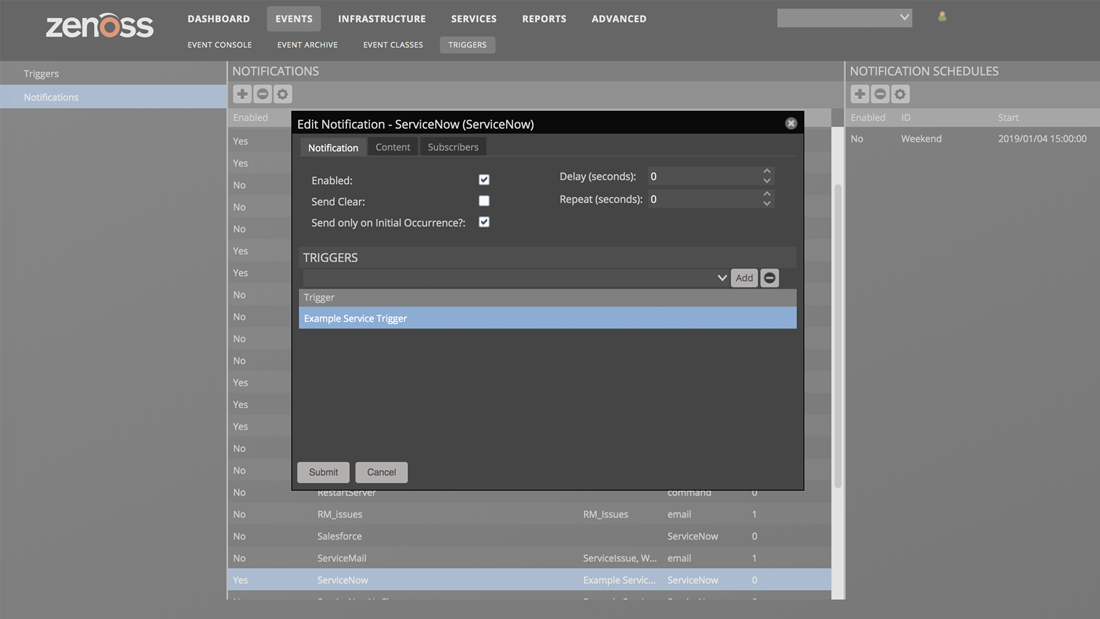
Zenoss Core Event Monitoring and Management also offers the ability to build event processing rules through GUI interface with automatic event classification and automatic event prioritization. Zenoss Event Monitoring Management alerts can be customized and sent using paging and emails with basic/advanced escalation rules to avoid "alarm fatigue."

Event Collection

  • Aggregation of events from various sources: availability monitoring, performance monitoring, syslog sources, SNMP trap sources, Windows Event log

  • Custom event creation through XML-RPC interface

  • Application-specific text logs are processed with custom scripts and/or 3rd party log parsers

Event Processing

  • Ability to build event processing rules through GUI interface

  • Automatic event classification

  • Automatic event prioritization

  • Automatic de-duplication

  • Automatic begin/end correlation

  • Operator acknowledgment

  • Automatic and Manual Archiving

Alerting

  • Paging and Email alerts

  • Ability to delay alerting based on customize and personalized rules

  • Basic escalation rules

  • Advanced escalation rules

  • System is aware of level three topology to avoid "alarm fatigue"

Reporting

  • Ability to view current events and event history

  • Inventory of events and event classifications

  • Additional Event Reports


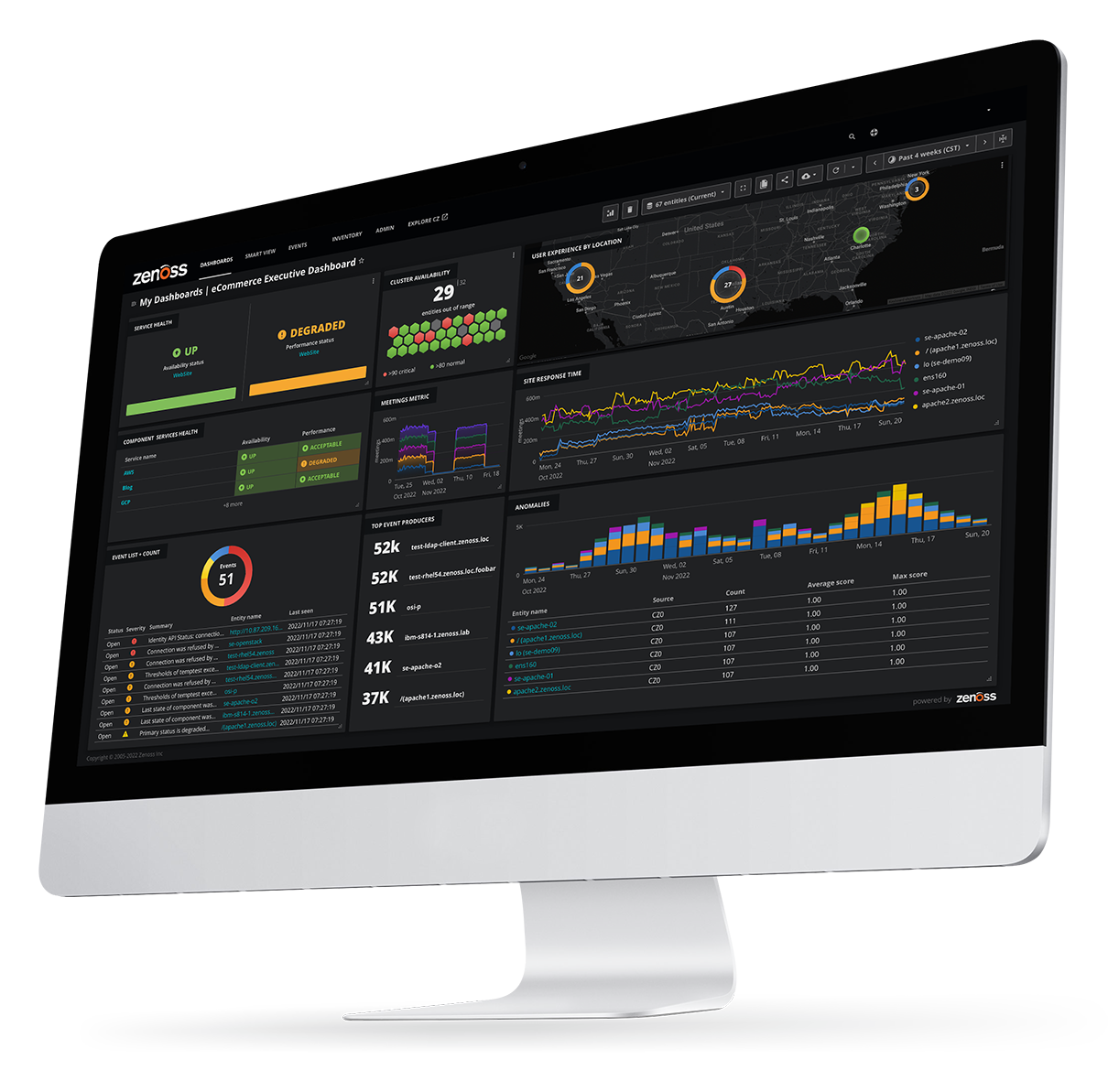
Web Portal and Dashboards

Zenoss Core was designed to be open, accessible and easy to use. Zenoss Core leverages 100% web-based technology in order to provide easy deployment and open access to disparate groups. Browser based Zenoss Core Dashboard can easily be customized to provide personal views that are based on geographies, systems, business applications, and other options to suit the needs of the enterprise users.

Web Portal

  • Secure web-based portal/console

  • Role-based permissions

  • Custom event views

Dashboards

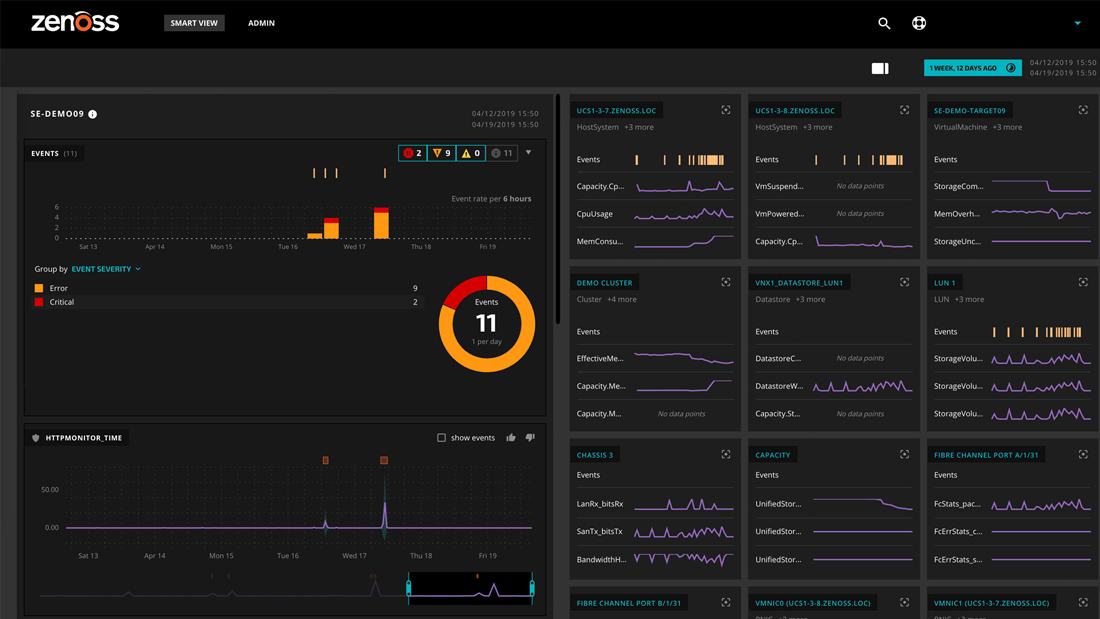
  • Customized Dashboard that summarizes active events by business system and severity

  • Rich AJAX-Enabled customized user interface with portlets

  • Drag & Drop and configurable

  • Available with Google Maps, Zenoss Object Watch List, Device Issues, Heartbeat and Production State portlets


Reporting

Zenoss Core solution provides an array of rich reporting options for the enterprise users. Reporting is an integral part of Zenoss Core solution providing visibility into Availability and Performance Monitoring, Change and Configuration Management, and Events Management. Users can generate custom reports from any Zenoss Core component in addition to creating fully customized reports or using pre-configured templates provided with Zenoss Core. Report customization includes:

  • E-mailed reports with embedded graphs and images

  • Customizable and UI driven graph definition capabilities with full power of RDD Graphing Language

  • Reports that include custom selection of individual graphs

  • Multi graph reports that include combination of multiple elements for selected devices

Zenoss Core solution also comes ready with template reports that aggregate data from all components of the solution that can be customized. Reports generated can be based on real time or historical data to suit the needs of different constituents in IT Management.

Device Reports

Device Reports present users an aggregation of data over multiple devices and their attributes. Some examples of Device Reports are:

All Monitored Components Report - The All Monitored components report includes all of the components currently being monitored by Zenoss. Data in this report includes:

  • Device name

  • Component name

  • Type of component

  • Description

  • Status of each device

Model Collection Age - The Model Collection age report provides information about the device level modeling history by Zenoss. Data in this report includes:

  • Device name

  • Device Class

  • First Discovery Time Stamp/device

  • Last collection time/device

  • Change and Configuration Tracking

Device Changes - The Device Change report presents information about the history of any changes that Zenoss detects when modeling each device. This report only includes a listing of devices with changes. Data in this report includes:

  • Device name

  • Device Class

  • First Discovery Time Stamp/device

  • Last collection time/device

Ping Error Status- The Ping Status Error report provides information on failed ping attempts for the monitored devices. Data in this report includes:

  • Device name

  • Device class

  • Product name

  • Current state of the device and the Ping and SNMP status.

SNMP Error Status - The Ping Status Error report provides information on failed SNMP attempts for the monitored devices. Data in this report includes:

  • Device name

  • Device class

  • Product name

  • Current state of the device

  • Ping and SNMP status.

New Devices - The New Devices report shows devices that have been recently added. The report data includes attributes such as the Device Name, the Device Class, when the device was first seen and the model collection age.

All Devices - The All Device report shows all of the devices added to the Zenoss system. It shows the device name, device class, device type, the Production State of the device and then the Ping and SNMP Status.

Event Reports

Event reporting gives you aggregate data about events, event mappings and event classes. Some examples of Device Reports are:

All Heartbeats- The All Heartbeats Report shows all heartbeats for monitored devices. Heartbeats are reported by component and number of seconds.

All Event Classes- The All Event Classes report provides data on all of the event classes that reside in the Zenoss system. It also breaks these classes down by SubClasses, the number of instances of that class in the system and the number of events in the system associated with each Event Class.

All Event Mappings- The All Event Mappings shows all of the event mappings that users have created throughout the system. Reports can be sorted by Event Class key, Evaluation or number of events per event class.

Performance Reports

Performance Reporting allows users to aggregate performance data across the entire Zenoss system. Some examples of Device Reports are:

Aggregate Reports- The Aggregate reports is a combination of all the performance graphs for all of the devices in the system. Data in this report includes:

  • PU Usage

  • Aggregate Free Memory

  • Aggregate Free Swap

  • Network Output/Input

Users can edit the graph parameters by clicking on the graph and they can change the width, height, Min Y and Max Y axis information. You can also specify which devices are included in the aggregate and the time span for the graph.

File System Utilization Report- The File System Utilization Report shows the Total Bytes, used Bytes, Free Bytes and % Utilization for each device. You can customize the report through the interface for such attributes and start/end Date and Summary type; either average or Maximum.

CPU Utilization Report- The CPU Utilization report shows all of the Monitored Interfaces, the list of devices and the load average and % Utility. You can customize the report through the interface for such attributes and start/end Date and Summary type; either average or Maximum.

Threshold Summary- The Threshold Summary Report identifies the devices that approach or exceed their thresholds and reports them in a list. Users can see the device, the component, the event class, count, duration and percentage. You can filter this list by Event Class or to see all Event Classes, leave the event class Selection List blank. Users can also change the start and end date for the reporting data.

Availability Report- The Availability Report presents availability of devices in percentage form. Users can filter on device, component, event class or severity. You can also further limit the time frame for the availability.

Interface Utilization- The Interface Utilization Report displays a full list of interface statistics for the devices on the network. This report lists each device, each interface and the speed (in MB), the input speed, the Output Speed, the total and percent utilization.

Memory Utilization- The Memory Utilization Report provides system wide information about the memory usage for devices in the system. This report provides Total memory, Available memory, Cache memory, Buffered memory, and percent of memory utilized.

User Reports

User Reports provide data based on user account information and changes within the Zenoss Administration system.

Notification Schedules- The Notification Schedules Report shows all of the alerting rules and their associated details with each one.


Collection

Zenoss Core provides an entire collection tier that delivers high-speed data collection services across several protocols. Zenoss collectors are optimized for scalability. They can be run locally or distributed throughout the network. For more details, visit the architecture section.


Integration

Zenoss Core is open for easy customization and integration with other applications in your environment. Zenoss supports integration using the following approaches:

  • Web Services API's (XML-RPC and REST)
  • XML Import/Export
  • Python Scripting Shell

ZenPacks

Zenoss Core provides a packaging and encapsulation framework for rules and customizations. Rules and templates within Zenoss can be packaged and exported into a ZenPack allowing users to share and reuse their configurations.

ZenPacks can be used to capture and share the following:

  • A complete configuration for monitoring a specific software application or device
  • Performance monitoring templates that include target metrics and default thresholds
  • Event mappings for given device and software application
  • New collection daemons
  • New user interfaces and model elements

There is a growing library of ZenPacks that are available in the ZenPacks Project area . Others will be published as part of the Zenoss Enterprise Subscription.


Zenoss Administration

Customizable Internal Zenoss Events

  • User defined internal Zenoss events
  • Enables users to change alerts and messages to fit business needs

User Groups

  • Custom definition of groups and rules
  • Groups can be used to aggregate alerting rules for several users into one location
  • Group rules are added to the rules defined for a given user